Summer brings a distinct shift in rhythm for small businesses. Depending on your industry, these months either signal a frantic peak season of tourist traffic and outdoor projects or a noticeable slowdown as clients, partners, and employees head out on vacation. This seasonal volatility introduces unique operational hurdles. Inventory demands fluctuate rapidly, cash flow cycles shift unexpectedly, and the allure of warm weather can easily pull owners away from the administrative discipline required to keep a business healthy.
Staying organized and profitable during this stretch requires more than just hard work—it demands real-time operational visibility and efficient systems. Running a business manually or relying on fragmented spreadsheets makes you vulnerable to missed invoices, inventory bottlenecks, and unmonitored cash dips. QuickBooks serves as a centralized financial nerve center, offering tools specifically engineered to handle seasonal shifts. Here are three critical ways QuickBooks helps small businesses maintain tight organization and maximize profitability during the summer months.
1. Mastering Cash Flow Volatility with Real-Time Cash Flow Forecasting
Cash flow is the lifeblood of any small business, but its predictability often breaks down between June and August. For retail, hospitality, and landscaping companies, summer is a high-volume revenue period. However, this surge requires substantial upfront capital for inventory, seasonal payroll, and increased utility costs. Conversely, for B2B service firms or consulting agencies, summer often means extended invoice payment cycles because accounting departments are understaffed due to vacations.
QuickBooks addresses this instability through its dynamic Cash Flow Dashboard and automated forecasting tools. Instead of looking backward at historical bank statements, QuickBooks connects directly to your business checking accounts, credit cards, and open invoices to project your financial position weeks and months into the future.
- Proactive Runway Mapping: The software scans your recurring expenses—such as rent, software subscriptions, and tax obligations—and matches them against your expected customer payments. If a major client historically delays payment in July, QuickBooks factors that trend into its projections, giving you an early warning if cash balances threaten to drop below a safe threshold.
- What-If Scenario Planning: Summer often presents sudden growth opportunities, such as an unexpected bulk inventory discount or the chance to bid on a large community project. QuickBooks allows you to simulate these decisions. You can input a hypothetical expense (e.g., hiring two temporary summer employees) to see exactly how it will impact your cash reserves over the next 60 days, allowing you to make risk-mitigated expansion decisions.
Summer Profit Tip: Use the QuickBooks Cash Flow Planner to identify your historical “dry weeks” in late summer. Use this data to run targeted promotions or prepayments in early June, building an intentional cash cushion before the market dips.
2. Maximizing Revenue Capture via Mobile Invoicing and Accelerated Payments
When the sun is shining, business owners and project managers want to be out in the field, on the job site, or meeting clients face-to-face—not chained to an office desk doing paperwork. Unfortunately, delaying administrative tasks like billing delays your revenue. An invoice sent two weeks late frequently results in a payment delayed by a month, squeezing your working capital right when you need it most.
QuickBooks bridges the gap between field operations and back-office accounting through its comprehensive mobile ecosystem, transforming invoicing from a weekly chore into an instant, on-the-spot action.
- Instant Field Invoicing: With the QuickBooks mobile app, field service professionals, contractors, and mobile vendors can generate and send professional, line-item invoices directly from a smartphone or tablet the moment a job is completed. Customers receive the bill via email or text before the technician even leaves their property, keeping the transaction top-of-mind.
- Frictionless Payment Rails: Invoices sent via QuickBooks can feature embedded “Pay Now” buttons, allowing clients to settle balances instantly using credit cards, debit cards, Apple Pay, or bank transfers (ACH). Reducing payment friction significantly accelerates your accounts receivable lifecycle, often cutting payment turnaround times from weeks to hours.
- Automated Accounts Receivable Follow-up: Chasing unpaid bills is an awkward, time-consuming task that frustrates business owners during busy summer months. QuickBooks lets you set up customizable, automated email reminders that gently nudge clients when an invoice is approaching its due date or overdue. This ensures your revenue stream stays consistent without requiring your daily manual intervention.
3. Streamlining Operational Overhead with Automated Expense Tracking and Receipt Capture
Summer operations are often highly mobile and fast-moving. Between purchasing extra fuel for delivery trucks, buying client refreshments, ordering emergency materials, or paying for seasonal marketing campaigns, expenses mount quickly. When you are moving fast, paper receipts get lost in vehicle glove compartments, faded by the sun, or completely forgotten, leading to unrecorded expenses and missed tax deductions.
QuickBooks eliminates this operational disorganization through automated expense tracking, ensuring that every dollar spent is accurately categorized to preserve your profit margins.
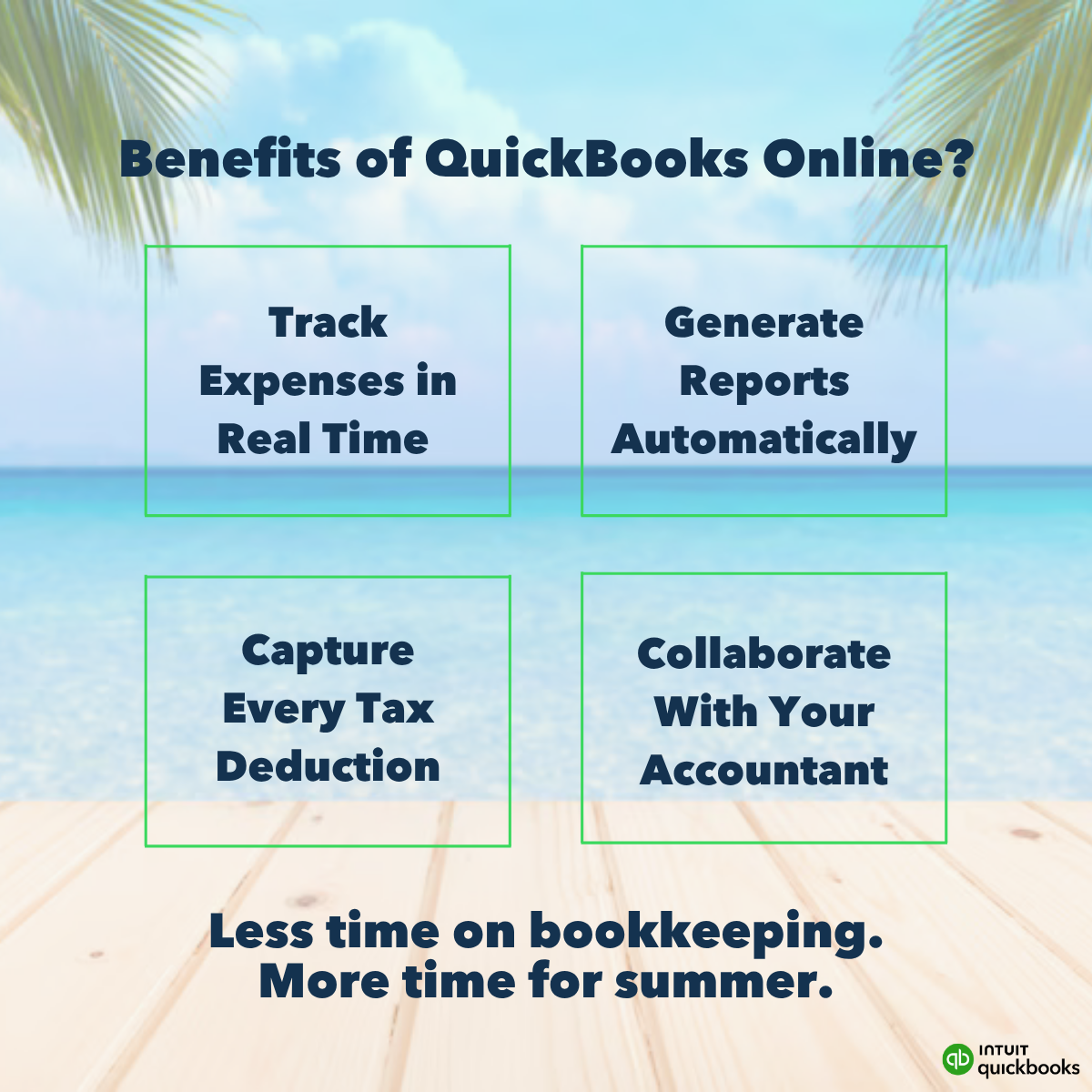
- Digital Receipt Capture via AI: The moment you or an employee makes a business purchase, you can use the QuickBooks app to snap a photo of the physical receipt. The software’s optical character recognition (OCR) technology automatically extracts the vendor name, transaction date, amount, and tax data. It then matches the receipt to the corresponding bank or credit card transaction, archiving a permanent, audit-ready digital copy while discarding the paper clutter.
- Granular Project and Job Costing: To stay profitable, you must know exactly which products, services, or projects are yielding the highest margins. QuickBooks allows you to tag expenses to specific customers or ongoing projects. If you are a landscape contractor running four separate residential projects this summer, QuickBooks tracks the specific material and labor costs allocated to each site. This gives you instant visibility into whether a project is staying under budget or eroding your profitability in real time.
Organization Checklist for Summer Trips: If you take time off this summer, link your business credit cards to QuickBooks before you leave. The system will automatically import and categorize expenses while you are away, ensuring your books stay perfectly reconciled without manual data entry.
Conclusion: Systemize Your Summer for Long-Term Growth
The small businesses that thrive year-round are those that refuse to let seasonal transitions disrupt their operational structure. Summer should be a season of business growth or a chance for well-deserved personal rejuvenation—not a source of financial stress and administrative chaos.
By leveraging QuickBooks to forecast cash flow volatility, capture field revenue instantly, and automate your expense tracking, you build a resilient operational framework. This automation keeps your business hyper-organized, protects your hard-earned profit margins, and gives you the peace of mind to enjoy the summer months, knowing your financial foundation is entirely secure.